1. step
Open My profile and scroll to Payout details. Enter the account holder, the IBAN and the bank name. Press Save.
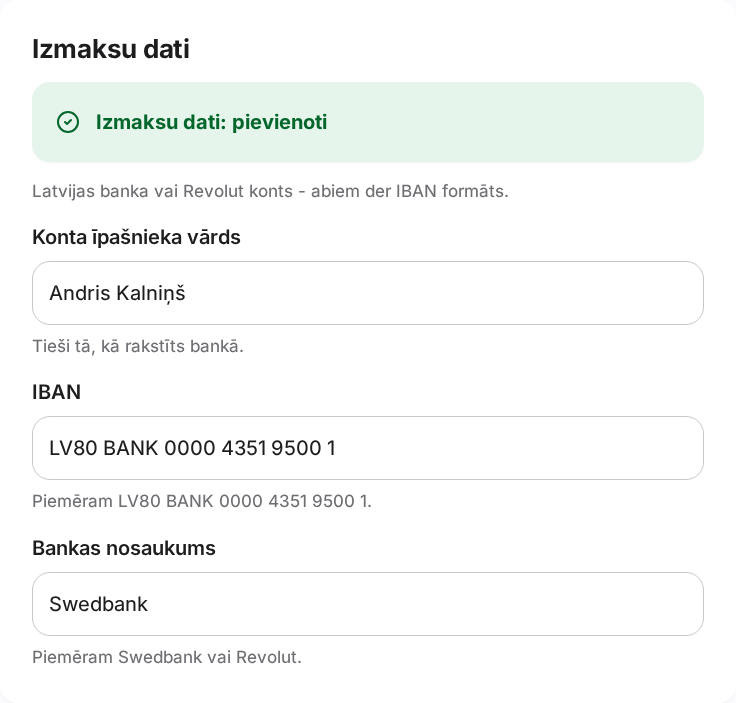
Where the IBAN goes and where the money shows.
1. step
Open My profile and scroll to Payout details. Enter the account holder, the IBAN and the bank name. Press Save.
2. step
Under My earnings you see the amount after the 11% commission and the amount ready to be paid out.
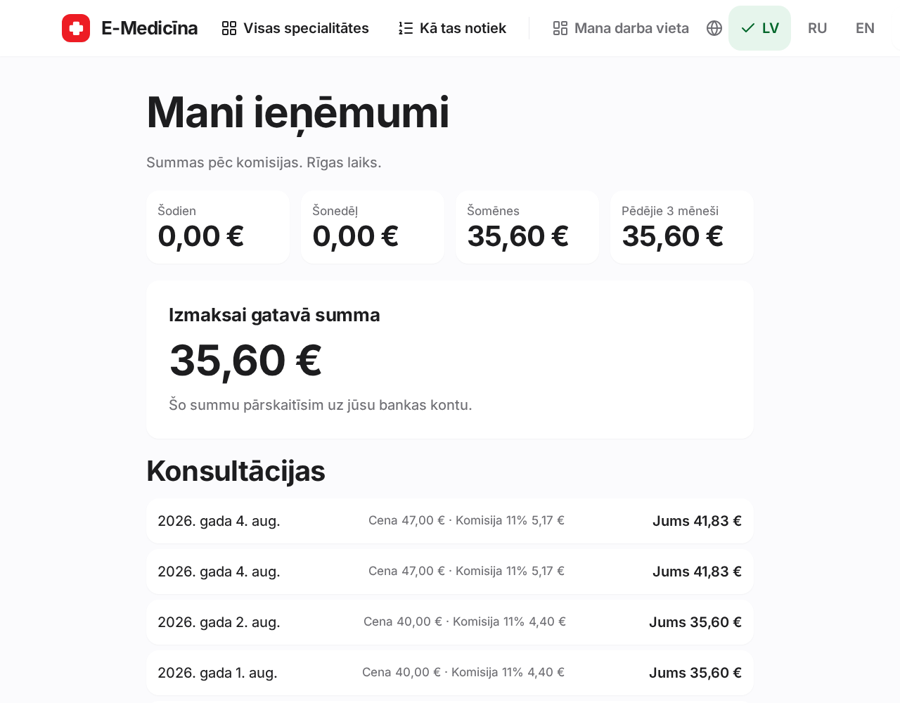
Without valid details we cannot pay you. The IBAN is checked immediately.
Still stuck? Write to atbalsts@emd.lv