1. step
Open emd.lv. In the search field type a doctor's surname or what hurts - for example heart or head.
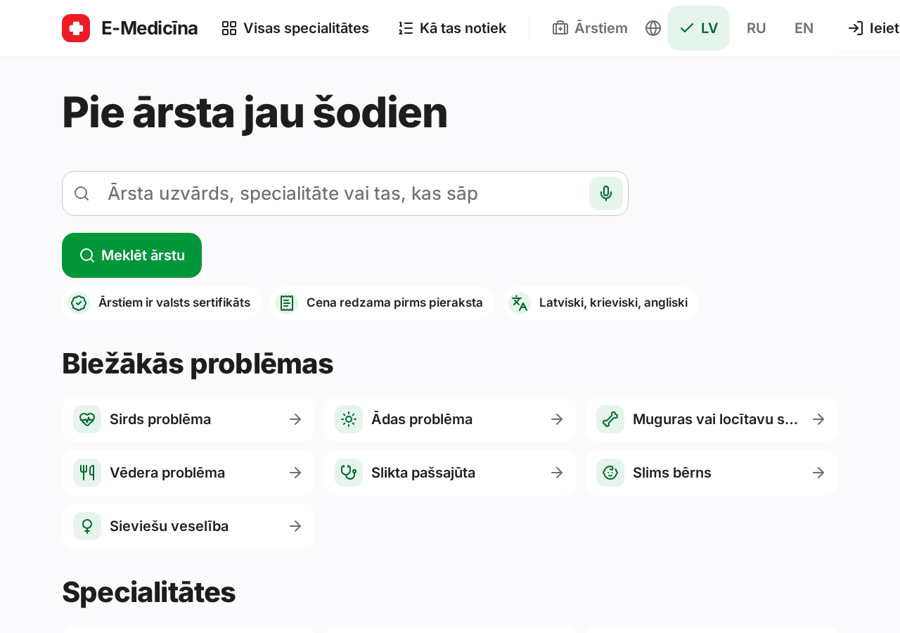
From the front page to a chosen time.
1. step
Open emd.lv. In the search field type a doctor's surname or what hurts - for example heart or head.
2. step
The list shows doctors with their price and next free time. Tap a doctor.
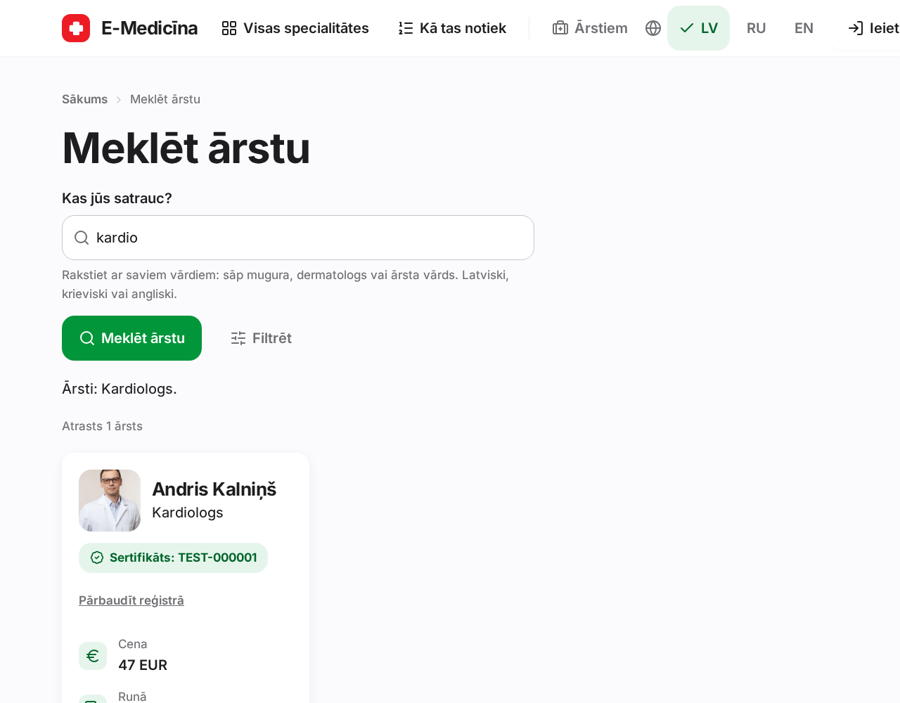
3. step
On the doctor's page check the price and the next available time. If it suits you, press Book this time.
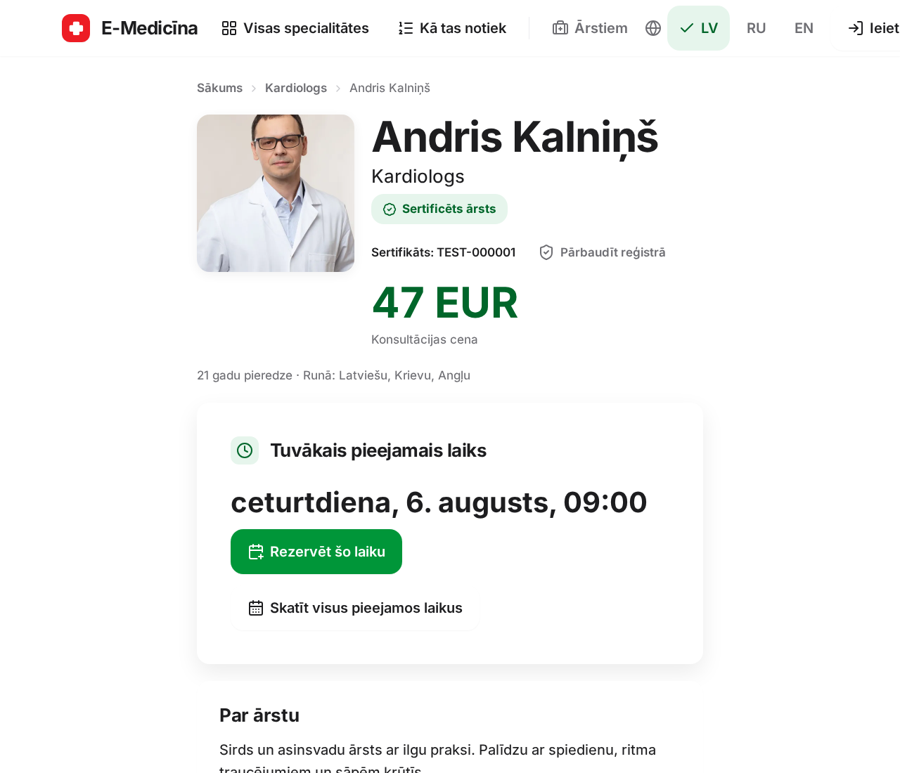
4. step
For another day, press Show all available times and pick one from the list.
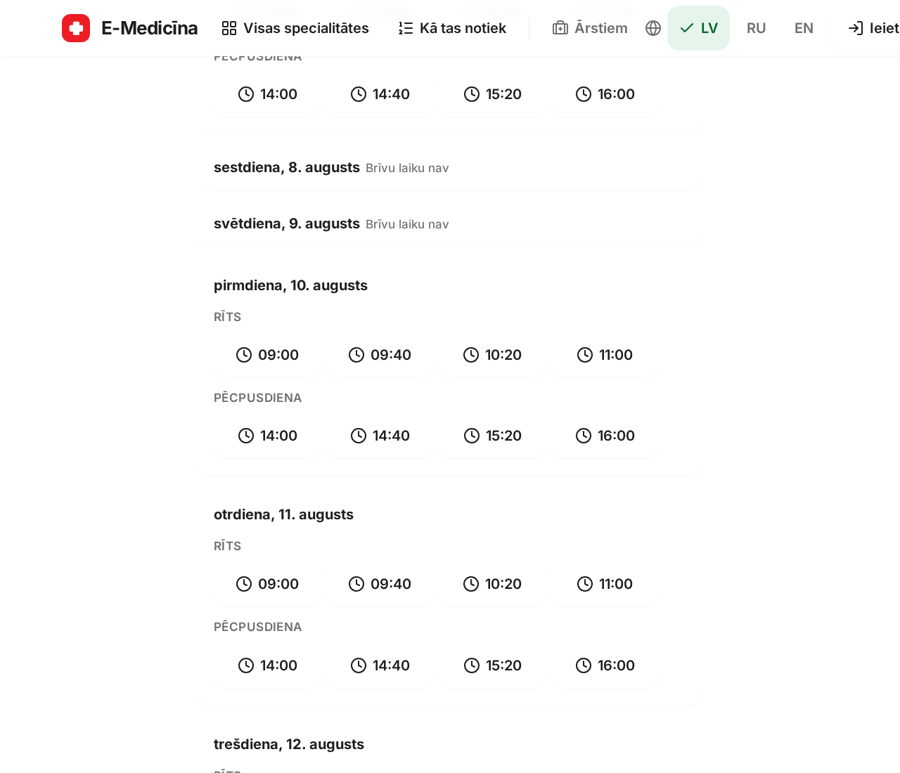
Only verified doctors appear. Times are shown in Riga time.
Still stuck? Write to atbalsts@emd.lv